Step 1: You will receive a Webinar email invitation with a registration link from RE/MAX of Southern Africa, as per below:
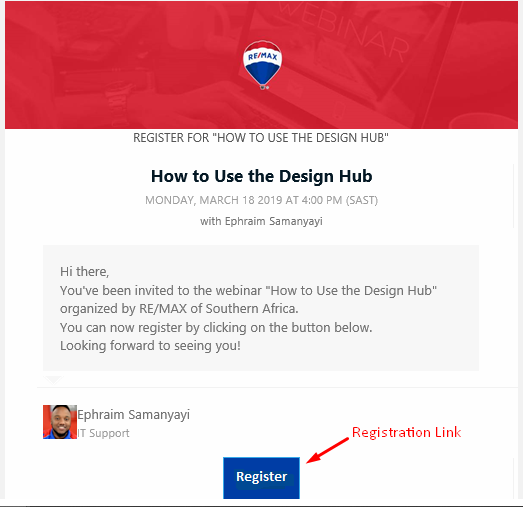
Step 2: Click on “Register” and you will land on this page in your browser:
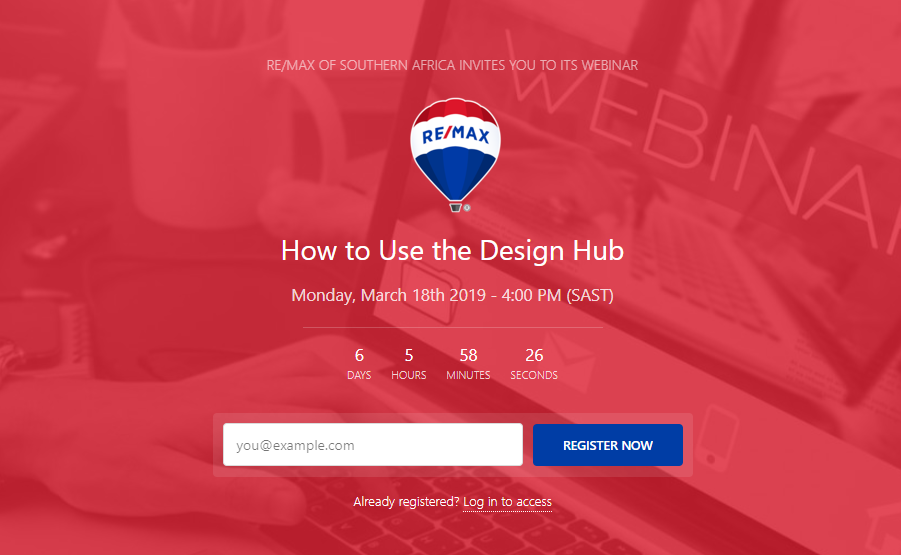
Step 3: Enter your Email address and click “Register Now”.
Step 4: You will be prompted to enter the following:
- First Name
- Last Name
- Company – (RE/MAX Office name)
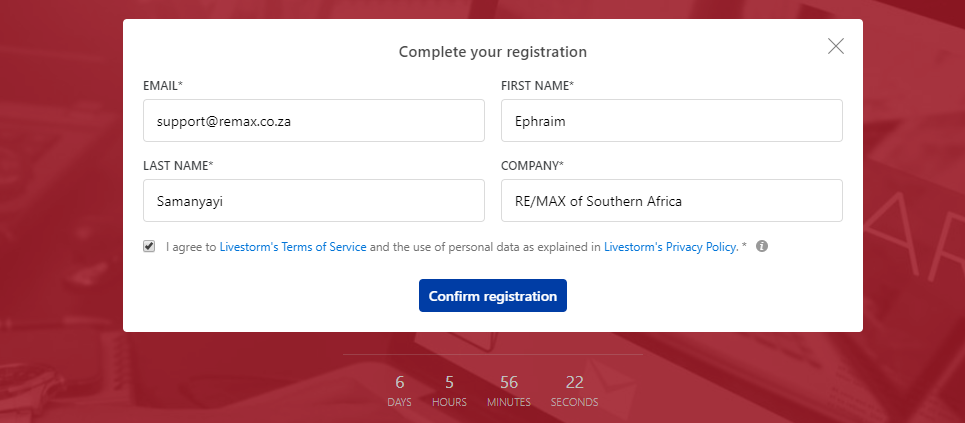
Step 5: Click “Confirm Registration” and you will be lead to the following screen:
After Registration, you will receive an email with your Unique URL and/or Access Link to the Webinar.
*What is an access link?
Your access link is your direct, unique link to access the webinar that you've registered for.
- If the webinar has started, your access link (when clicked) will direct you straight into the webinar room.
- If the webinar hasn't started yet, your access link (when clicked) will direct you to a waiting page with a countdown until the webinar's start.
*What is an access key?
Your access key is a 4-digit unique code per registrant that you will need to use along with your email address to enter the webinar room.
Was this article helpful?
That’s Great!
Thank you for your feedback
Sorry! We couldn't be helpful
Thank you for your feedback
Feedback sent
We appreciate your effort and will try to fix the article